Finding the right handheld inventory scanner on Amazon is harder than it should be. The search results mix $10 wired barcode readers, pocket Bluetooth scanners, and $500 Android PDA devices that are built for warehouse teams. They all scan barcodes, but they do not solve the same business problem.
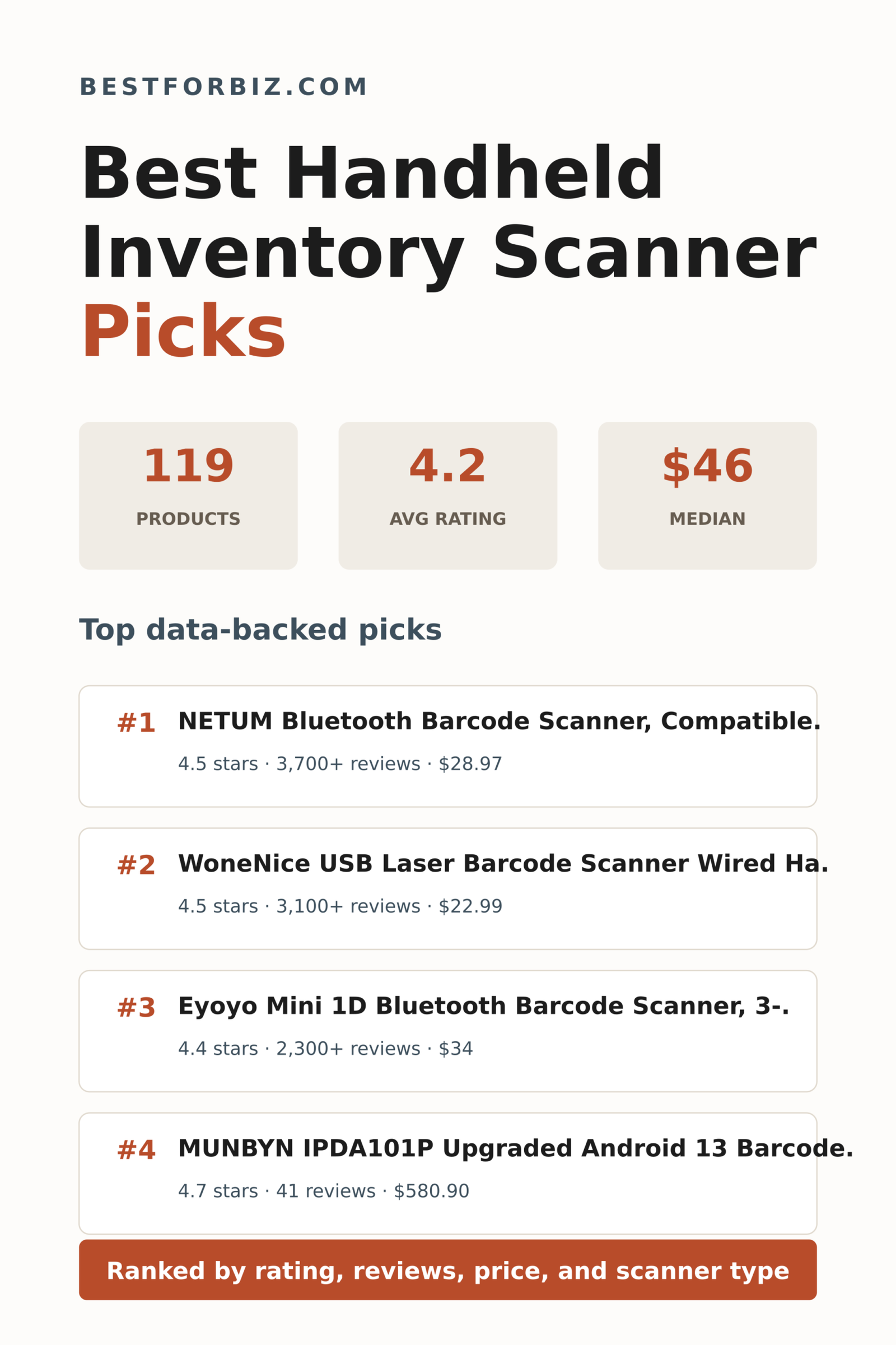
We analyzed 119 organic handheld scanner listings by rating, review volume, price, and scanner type. The goal was not to crown the most expensive device. It was to find the models with the strongest buyer signal for small-business inventory, retail receiving, stockroom counts, library checkout, and light warehouse work.
The short version: most businesses should start with a wireless handheld scanner under $75. Wired USB models are still excellent for fixed stations, while Android PDA scanners only make sense when the scanner also needs to run inventory apps, WMS tools, or mobile workflows away from a computer.
What does the handheld inventory scanner market look like?
The market is broad but not chaotic once you separate the products by job. Basic wired scanners dominate the lowest prices. Wireless handheld models make up the largest visible group. Android PDA scanners sit at the top of the price range and are aimed at businesses that need a screen, operating system, and scanner in one device.
The average rating across the analyzed listings was 4.21 stars, which is healthy for a utility product category. The more useful signal is the cluster: a large share of products sits between 4.1 and 4.5 stars, so the winners are the products that combine that rating strength with meaningful review volume and a price that fits the intended workflow.
Fig. 01 – Rating Distribution
Most handheld inventory scanner listings cluster in the reliable middle, with relatively few products below 4.0 stars.
Source: Amazon search results captured May 2026. N=119 organic listings with price and rating data.
The 4.2-star bar is the peak, with 25 products. That tells us this is not a category where every product looks perfect on paper. A 4.5-star scanner with thousands of reviews is meaningfully different from a 4.8-star scanner with only a dozen reviews.
For buyers, this means review volume matters. A handheld inventory scanner is usually a simple tool, but connection reliability, battery life, scan speed, and compatibility problems show up quickly in customer feedback.
The best signal came from modestly priced scanners with thousands of reviews, not from the most expensive inventory computers.From our analysis of 119 handheld inventory scanner listings
How much should a handheld inventory scanner cost?
The median price in this dataset was $46, but that number hides a sharp split. More than half of the listings were under $40, while the PDA-style scanners pushed the top of the range close to $900. That does not mean the expensive devices are bad. It means they are different tools.
For a small shop, office, or backroom inventory workflow, the sweet spot is usually under $75. That range includes wired USB scanners, compact Bluetooth scanners, and several 1D/2D wireless models with enough review history to trust.
Fig. 02 – Average Rating by Price Tier
The $300+ tier had the highest average rating, but the under-$40 tier had far more products and review depth.
The under-$40 tier averaged 4.25 stars across 56 products, while the $300+ tier averaged 4.36 stars across 14 products. That is a useful reminder that barcode scanning is a mature hardware category. If your workflow is simple, paying more often buys connection flexibility or mobile computing, not necessarily a better basic scan.
That premium tier can be the right answer for warehouse teams, but it needs closer spec review because those devices are closer to business systems than accessories.
Which scanner type fits your inventory workflow?
The dataset split into three practical groups: wireless handheld scanners, wired handheld scanners, and Android PDA inventory scanners. Wireless models were the largest group with 68 listings. Wired models accounted for 23 listings, while Android PDA models accounted for 28 listings.
Fig. 03 – Product Type Split
Wireless handheld scanners dominate the category, but wired and PDA models serve important edge cases.
Source: Amazon search results captured May 2026. Categories are based on scanner format and workflow signals in the listings.
Wireless scanners are the default recommendation for most inventory counts because they work across laptops, tablets, and mobile devices. Wired scanners are best when the scanner stays at one station and downtime matters more than mobility.
Android PDA scanners are a separate decision. They are for teams that want the handheld inventory scanner to also be the computer. If your inventory app runs on Android, or your staff need to scan away from a desk all day, the extra cost can be justified.
What are the best handheld inventory scanner picks?
These recommendations use a composite ranking that rewards rating strength and review volume, then checks price and product type so a $500 mobile computer is not treated as the same purchase as a $23 USB scanner.
Note: Amazon search results include sponsored placements. All sponsored listings were identified and excluded from the rankings below, so these picks reflect organic market performance.
Best wireless handheld inventory scanner picks
Rank 1 – Wireless handheld inventory scanner
NETUM Bluetooth Barcode Scanner, Compatible with 2.4G Wireless & Bluetooth Function & Wired.
This NETUM model is the cleanest overall recommendation in the dataset because it combines the largest review base in the search results with a 4.5-star rating and a sub-$30 price. It supports Bluetooth, 2.4G wireless, and wired use, which makes it flexible for laptops, tablets, and counter setups. For a small business that needs a handheld inventory scanner without jumping into enterprise PDA pricing, this is the strongest data-backed starting point.
The Eyoyo Mini is another compact wireless pick with a very strong review signal and a price still sitting in the lower tier. Its 3-in-1 connection setup makes it useful for mixed environments where one person scans into a computer and another works from a tablet. It ranks slightly behind the NETUM because the rating is a touch lower, but the review volume keeps it very competitive.
The Inateck BCST-70 costs more than the cheapest handheld units, but it earns its place with a 4.5-star rating and an unusually long standby claim in the title. That makes it a better fit for stockrooms, pop-up retail, and back-office inventory work where charging discipline is not always perfect. It is not the bargain pick, but the data suggests buyers are broadly happy with it.
The WoneNice wired scanner is the best value pick in the whole analysis. It has a 4.5-star rating, roughly 3,100 reviews, and a price under $25, which is exactly the kind of signal small shops want when they just need a reliable USB scanner. If your scanner will live at a checkout counter, receiving desk, or packing station, wired simplicity is still hard to beat.
The NETUM USB laser scanner has a lower rating than the WoneNice, but its roughly 2,000-review footprint and low price make it a practical backup or secondary station scanner. It is best for 1D barcode workflows where plug-and-play reliability matters more than wireless range. This is the boring choice in a good way.
Eyoyo EYH2 Handheld USB 2D Barcode Scanner, Wired Automatic QR Code Scanner PDF417 Data Mat.
4.3 stars800+ reviews$23.99Wired handheld scanner
The Eyoyo EYH2 is the wired option to compare when you need 2D or QR scanning support in a USB setup. Its 4.3-star rating and 800+ review base are solid, and the title points to PDF417 and Data Matrix support. That makes it more flexible than the cheapest 1D-only wired scanners.
The MUNBYN IPDA101P is the premium upgrade pick for businesses that need a true mobile computer, not just a scanner gun. It carries a 4.7-star rating and includes Android, Wi-Fi 6, a pistol grip, GPS, and a Zebra scan engine in the title. The review count is much smaller than the budget handheld picks, so this is a workflow-driven recommendation rather than a mass-market value play.
This MUNBYN Android 14 model is another rugged PDA-style scanner with a strong 4.8-star rating and a lower price than the IPDA101P. Its Honeywell scan engine, IP65 language, and 4-inch screen point to warehouse and logistics work. It is overkill for a simple retail counter, but it belongs on the shortlist for mobile inventory teams.
The Honeywell-engine Android handheld sits in the middle of the PDA group by price. It has a 4.2-star rating and a modest review base, but the integrated Honeywell 1D and 2D scan engine is the reason to compare it. For buyers who want a handheld inventory scanner with cellular and Wi-Fi capability, it is a credible alternative to the MUNBYN units.
Which handheld inventory scanner brands showed the strongest signals?
Brand signals were usable in this dataset because several real brands appeared multiple times. NETUM had the largest review footprint, while MUNBYN had the highest average rating among brands with multiple listings, though at a much higher average price.
This table should be read as market signal, not brand destiny. A brand with many low-cost scanners can accumulate more reviews than a premium PDA brand, while a premium brand can show higher average ratings from fewer buyers.
Worth comparing when price and connection type match your workflow
NETUM is the clearest mainstream brand signal because it combines 14 analyzed listings with 11,000+ combined reviews. That is why a NETUM model takes the Best Overall slot even though several smaller-review products have higher star ratings.
MUNBYN is the brand to compare for Android PDA inventory scanners. Its products are far more expensive on average, but the rating signal was strong and the titles consistently point to warehouse-focused features such as pistol grips, scan engines, and mobile computer language.
How should a small business choose a handheld inventory scanner?
The best scanner is the one that fits the place where scanning actually happens. Start with workflow, then match the connection type and price tier.
Will the scanner stay at one desk or register?
Choose a wired USB scanner. You will usually pay less, skip battery management, and get a reliable tool for checkout, receiving, or fixed inventory stations.
Do employees scan around a stockroom or sales floor?
Choose a wireless handheld scanner with Bluetooth or 2.4G support. Look for enough review volume to catch compatibility problems before you buy.
Do you need to scan QR codes or 2D labels?
Do not buy the cheapest 1D-only scanner. Look for 2D, QR, PDF417, or Data Matrix support in the listing, especially for shipping labels, asset tags, and mobile payment codes.
Does the scanner need to run inventory software?
Move up to an Android PDA scanner. That is the dividing line between a barcode reader and a mobile inventory computer.
Should you pay extra for rugged hardware?
Pay for rugged features only when drops, dust, long shifts, or warehouse movement are real risks. For office inventory and light retail, a lower-cost handheld scanner is usually the better value.
What is the best handheld inventory scanner to buy?
The best overall pick is the NETUM Bluetooth Barcode Scanner because it combines a 4.5-star rating, the largest single-product review count in the dataset, and a price that fits most small-business budgets. For fixed workstations, the WoneNice USB Laser Barcode Scanner is the cleaner value play.
If you are buying for warehouse mobility, skip the bargain logic and compare Android PDA scanners on operating system, scan engine, battery, durability, and app support. That is where the MUNBYN PDA models make more sense than simple Bluetooth scanners.
NETUM had 14 products and 11,000+ combined reviews
Avoid This Tier
Low-review premium devices
Several $300+ scanners had fewer than 20 reviews, so verify fit before buying.
Methodology and Transparency
We analyzed 119 organic Amazon listings for handheld inventory scanner products in May 2026. Rankings combine star rating, review volume, price, and product type so simple handheld scanners are not unfairly compared with Android mobile computers. Sponsored placements were set aside before recommendations were selected. Prices, availability, and review counts change over time, so verify current details before purchasing.
Affiliate Disclosure — Best for Biz participates in the Amazon Services LLC Associates Program, an affiliate advertising program that allows sites to earn advertising fees by linking to Amazon.com. When you click a product link and make a purchase, we may earn a commission at no additional cost to you. This does not influence our analysis or recommendations, which are based on market data. Product availability and pricing change; always verify current details on Amazon before purchasing.
Dead zones in conference rooms, spotty signal in the back office, a warehouse floor that might as well be on the moon as far as your router is concerned. The wifi range extender for the office market has exploded to meet these needs, and the number of options on Amazon now runs well past anything a busy office manager has time to sort through. So we did the sorting. We pulled 158 deduplicated wifi range extender listings, stripped out sponsored placements, and ran a composite ranking model that weights both rating and review volume, because a 5-star product with 4 reviews tells you almost nothing useful.
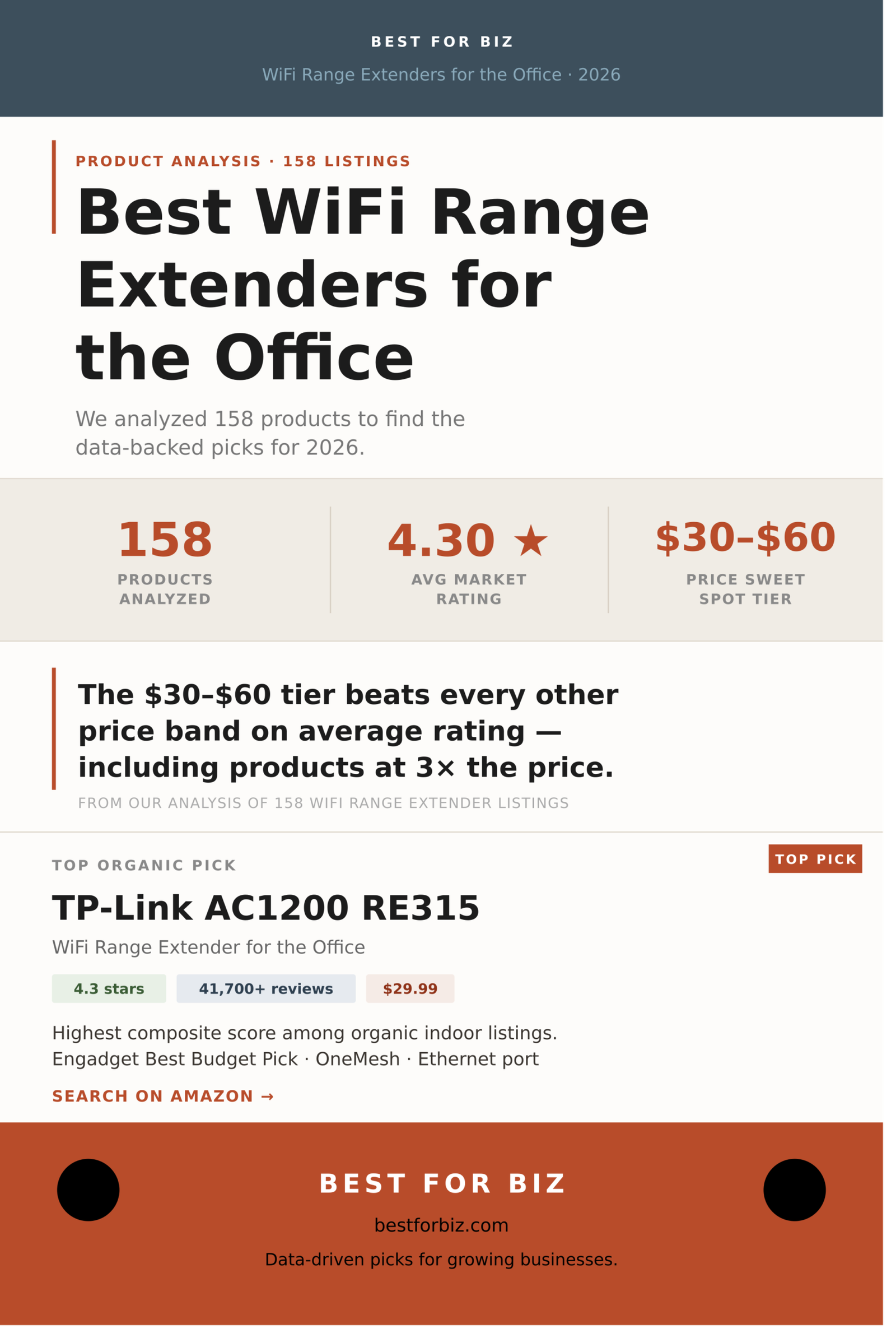
The results are not what the pricing structure might lead you to expect. The $30-$60 tier outperforms every other price band on average rating, including products that cost three times as much. TP-Link dominates the top of the organic rankings so thoroughly it borders on embarrassing for everyone else. And nearly a third of all listings sit at exactly 5.0 stars, almost all of them new products with single-digit review counts: a number to filter around, not toward.
Below is everything the data says about the best wifi range extenders for the office in 2026, organized by type, price tier, and brand, with ranked picks drawn exclusively from organic search results.
What 158 Products Tell Us About the WiFi Range Extender Market
The average rating across all 158 products is 4.30 stars, which sounds healthy until you look at the distribution. The market is sharply bimodal: a large cluster of well-reviewed, established products in the 4.0-4.5 range, and a separate cluster of brand-new listings sitting at 5.0 stars with almost no reviews to back it up. When you isolate products with at least 100 reviews, the average drops slightly but the top picks become far more reliable. The 4.0-4.2 bucket is where most of the action is, with 41 products, the largest single group.
The median price across all types is $53, but that figure compresses a lot of variation. Plug-in indoor extenders cluster under $50. Outdoor and enterprise-grade access points push the average up. For a standard office environment, the practical range to shop is $25-$100, which covers roughly 84 of the 158 products and the full range from basic single-band repeaters to solid dual-band WiFi 6 units.
Fig. 01 — Rating Distribution Across 158 WiFi Range Extenders
The 4.0-4.2 band is the market’s core, with 41 products. The 5.0-star spike is mostly new listings with very few reviews.
N=158 deduplicated listings, organic and sponsored combined. Rating groups show product count per band. 5.0-star group consists predominantly of listings with fewer than 20 reviews.
That 5.0-star cluster deserves a closer look. Of the 31 products sitting at a perfect score, the vast majority have review counts in the single or double digits. This is a well-known pattern on Amazon: new products launch, a small cohort of early buyers leaves positive reviews, and the listing appears to outperform everything around it. For office purchasing, where reliability matters more than a hopeful launch, review volume is a better signal than raw rating. Our composite score weights both.
The $30-$60 tier beats every other price band on average rating, including products that cost three times as much.
From our analysis of 158 deduplicated WiFi range extender listings
Does Spending More on a WiFi Range Extender for the Office Actually Help?
Mostly no, at least not in the way the pricing implies. The $30-$60 tier leads all five price bands with a 4.45 average rating across 46 products. It also carries the deepest review pools of any tier, meaning those ratings are built on real-world feedback at scale. The $60-$100 tier follows closely at 4.38, which makes sense: that range includes WiFi 6 units with Gigabit ports that buyers tend to take seriously. After that, the relationship between price and rating flattens and actually dips at $100-$150 before recovering slightly above $150.
The under-$30 category at 4.10 average is the most mixed. It includes genuinely solid entry-level extenders alongside a pile of generic units with inflated ratings and thin review histories. If your office has simple needs and a single floor, a well-reviewed product in this tier can work fine. But for any environment with concrete walls, multiple floors, or more than 20 simultaneous devices, the $30-$60 tier is where the data points.
Fig. 02 — Average Rating by Price Tier
The $30-$60 tier leads all price bands at 4.45 stars. Spending more does not reliably buy a better-rated product.
Average rating per price tier across all 158 products. Tiers with fewer than 15 products ($100+) reflect a thinner, more specialized product mix.
One reason the $100-$150 tier dips is product mix: that range starts pulling in outdoor access points and Mesh satellite units that serve niche use cases and attract buyers with stronger opinions about setup complexity. The under-$30 segment has the opposite problem: too many generic brands with polished star ratings and not enough real-world volume to validate them. The data makes a fairly clean argument for concentrating your search between $25 and $100.
Three Types of WiFi Range Extender, and Why It Matters Which You Buy for the Office
The search results for “wifi range extender for the office” return three meaningfully different categories of product, and treating them as interchangeable is how offices end up with the wrong hardware. Indoor plug-in range extenders account for 78 of the 158 products we analyzed, nearly half the market, and are the correct choice for most small and mid-size offices with a central router and one or two dead zones. Outdoor and access-point units make up another 26 percent: ceiling-mounted or weatherproof hardware designed for larger footprints, parking areas, or environments with thick walls. Mesh-capable extenders account for 23 percent and are best suited to offices that already run a mesh router system or want to build one incrementally.
Fig. 03 — Market Split by Product Type
Indoor plug-in extenders dominate at 49%, followed by outdoor access points (26%) and mesh-capable units (23%).
N=158. Enterprise and 5G router listings (2 products, 1%) excluded from chart for scale. Classification based on product title and feature keywords.
For most small offices, the indoor plug-in extender is the right starting point: low cost, easy setup, no cabling required. The ceiling-mount access point category is worth considering for offices above 3,000 square feet, open-plan spaces with many concurrent users, or situations where you want centralized management across multiple units. The TP-Link Omada lineup lives in this space and is the strongest argument for stepping up from a plug-in repeater to a proper managed AP setup. Mesh extenders are a good fit if you already own a mesh router, since brands like TP-Link let you mix RE-series extenders into an EasyMesh or OneMesh system for a seamless network rather than the separate SSID you get with a standard repeater.
The Best WiFi Range Extenders for the Office, Ranked
Rankings below are based on a composite score that multiplies star rating by the natural log of review count, then filters to organic-only listings. This surfaces products with strong ratings and meaningful real-world feedback volume. Prices reflect the data at time of collection and should be verified before purchase.
Note: Amazon search results include sponsored placements. All 42 sponsored listings were identified and excluded from the rankings below. These picks reflect organic market performance only.
Top Plug-In Range Extenders for the Office
Rank 1 — WiFi Range Extender for the Office
TP-Link AC1200 WiFi Extender RE315
4.3 stars41,700+ reviews$29.99Dual Band · OneMesh
Engadget’s Best Budget Pick for a reason: the RE315 sits at the exact intersection of price, rating, and review depth that makes it the safest purchase in this category. At 4.3 stars across 41,000+ reviews, it has more real-world validation than any other extender in the $30-and-under segment. Dual-band 5GHz and 2.4GHz at 1.2Gbps combined, one ethernet port for wired desk connections, and OneMesh compatibility if you want to fold it into a TP-Link mesh network later. Covers up to 1,500 sq. ft., which handles a small office floor with ease. The composite score ranks it first among all organic indoor listings, and no other sub-$30 product comes close on review volume.
4.3 stars20,200+ reviews$49.99Dual Band · Gigabit Port
The RE550 is the step-up for offices that need a bit more throughput or physical reach. AC1900 combined speed and a dedicated Gigabit ethernet port make it a better fit for conference rooms where someone will be plugging in a laptop or a video conferencing unit. Coverage extends to around 2,200 sq. ft., and EasyMesh compatibility means it can work as a proper mesh node alongside a TP-Link router rather than operating as a separate network island. At $49.99 it sits squarely in the top-performing $30-$60 tier, and 20,000+ reviews confirm this is not a new entrant still building a reputation.
4.1 stars31,300+ reviews$34.99Dual Band · PCMag Editor’s Choice
PCMag’s Editor’s Choice designation and 31,000+ reviews make the RE450 hard to ignore, even though its 4.1-star rating trails the RE315 and RE550 slightly. The difference appears to be setup friction: some users find the initial WPS pairing less reliable than they’d like, though performance once connected draws consistent praise. AC1750 combined speed and a 3-antenna design give it better performance in larger or more cluttered office environments than the RE315. Worth considering over the RE315 if you’re extending coverage around a lot of walls or cubicle partitions rather than open floor space.
The RE615X is the right buy for offices that already run WiFi 6 routers and want to extend that standard throughout the space rather than bottlenecking at a WiFi 5 repeater. AX1800 speeds and a Gigabit ethernet port handle dense device environments better than any WiFi 5 extender on this list, and the 4.3-star rating across 10,000+ reviews is about as strong as the RE315 with a younger product history. Covers up to 2,100 sq. ft. and supports up to 64 devices. The $79.99 price point sits at the top of the sweet-spot tier, and the data supports it: the $60-$100 band averages 4.38 stars, second only to $30-$60.
NETGEAR’s most-reviewed extender in this dataset earns its place through sheer volume of real-world feedback, not a sparkling rating: 3.8 stars across 43,000+ reviews is a meaningful data point, not a fluke. The EX6120 is the best non-TP-Link option if you’re already on a NETGEAR router ecosystem or prefer the NETGEAR Nighthawk app for management. The compact wall-plug design is handy for offices where outlets are limited. That said, 3.8 stars is a genuine caveat, and it trails every TP-Link pick on ratings. Buy it if NETGEAR ecosystem matters to you; otherwise the RE315 at the same price is the stronger pick on the numbers.
The highest-rated product among all organic outdoor and access point listings at 4.6 stars, the EAP610 is a different product category from the plug-in extenders above and a better fit for offices that want real network control. PoE-powered so it mounts cleanly on ceilings without running power cables, AX1800 WiFi 6 for dense device environments, and Omada cloud management means you can monitor, configure, and troubleshoot from anywhere, which matters once you have more than one unit. It supports mesh roaming so devices hand off seamlessly between access points. The 1,100+ reviews are low compared to the RE-series plug-ins, but the category is inherently smaller and the rating is the strongest on this list. If your office runs more than 25 devices or spans more than 3,000 sq. ft., this is where the budget should go.
TP-Link’s grip on this category is the most striking finding in the dataset. The brand accounts for 19 of the 158 deduplicated listings, carries over 404,000 total reviews across those products, and averages a 4.23-star rating with more real-world validation behind it than every other named brand combined. NETGEAR is the clear second-tier competitor with 12 products and 74,000+ total reviews, but its 3.92 average rating trails TP-Link notably. WAVLINK offers an interesting outdoor and high-power alternative but has minimal review depth. The rest of the named-brand space is thin, and the unbranded/generic segment, while large, is too inconsistent for reliable office purchasing.
Brand
Products
Avg Rating
Total Reviews
Avg Price
Take
TP-Link
19
★ 4.23
404,000+
$54.51
Category’s dominant force. Most-reviewed products by a large margin; the safest default for nearly any office setup.
NETGEAR
12
★ 3.92
74,000+
$68.79
Household name with broad market presence but consistently trails TP-Link on ratings. Best if you’re already in a NETGEAR ecosystem.
WAVLINK
10
★ 4.19
1,500+
$138.58
Specializes in outdoor and high-power units with good ratings, but very thin review depth makes it harder to validate. Best for niche outdoor coverage needs.
Tenda
5
★ 4.24
627
$13.99
Ultra-budget tier with decent ratings, but review volume is too thin for office purchasing confidence. Home use only.
Generic / Unbranded
50+
★ varies
varies widely
~$25-$35
A crowded mix. Some are rebranded OEM units with legitimate performance; many are new listings with inflated early ratings. Avoid for office use unless you can verify 500+ reviews at 4.0+.
TP-Link’s review depth is the stat that stands out most. Over 400,000 cumulative reviews across 19 products means that for almost any scenario, there is a TP-Link model with enough feedback to read confidently. That’s unusual in a category where most competitors are working with 1,000-5,000 reviews on their best products. Whether that level of market consolidation is good for buyers in the long run is a fair question; right now, the data says it’s the path of least risk.
NETGEAR’s 3.92 average across 12 products is harder to explain away. At $68.79 average price, the brand sits in a higher tier than TP-Link’s $54.51 average, yet consistently underperforms on ratings. The gap is not catastrophic, and NETGEAR’s hardware is well-made, but the numbers make it difficult to recommend as a default over TP-Link unless brand or ecosystem factors apply.
How to Choose a WiFi Range Extender for Your Office
Five questions cover most office purchasing decisions in this category.
How large is the space you need to cover?
Under 1,500 sq. ft. with a single dead zone: any of the top-ranked plug-in extenders will work, and the RE315 at $29.99 is the clearest starting point. 1,500-3,000 sq. ft. with multiple problem areas: consider a WiFi 6 extender like the RE615X or step up to a managed access point. Above 3,000 sq. ft., or across multiple floors with thick walls: the EAP610 Omada or a multi-unit access point deployment will outperform any plug-in repeater.
Do you have an ethernet cable you can run to the extender?
Wireless backhaul (the extender communicating with the router over WiFi) cuts your throughput roughly in half by definition. If you can run a single ethernet cable from your router to where the extender will sit, you convert it to a wired access point and recover that bandwidth entirely. The RE550, RE615X, and EAP610 all support wired ethernet connections. Even a basic extender becomes significantly more useful with a wired connection behind it.
Are you extending an existing mesh system or a traditional router?
If you already have a TP-Link Deco mesh system, adding an RE-series extender in OneMesh or EasyMesh mode gives you seamless roaming rather than a separate SSID that devices have to manually switch to. If you have a standard ISP-provided router, any of the ranked extenders will work, though you’ll typically end up with two network names. That’s fine for most offices but can be annoying if employees move around and their devices don’t auto-switch well.
How many devices will be connected simultaneously?
For under 25 devices, the RE315 or RE550 handle the load comfortably. For 25-50 devices, the WiFi 6 RE615X is a better fit because WiFi 6’s OFDMA technology handles multiple concurrent connections more efficiently than WiFi 5. Above 50 devices or in high-density environments like open-plan offices with video calls running all day, the EAP610’s managed access point architecture is the right tool, not a plug-in repeater.
Do you need outdoor or parking lot coverage?
Standard plug-in extenders are not weatherproofed and will not survive outdoors. The WAVLINK outdoor lineup and TP-Link’s EAP outdoor series handle exterior coverage, but this is a separate purchasing decision with different installation requirements. For outdoor office coverage, expect to spend $100-$200 and factor in mounting hardware and PoE power injection if needed.
Verdict
The wifi range extender market for offices has a clear data story: the $30-$60 tier wins on average rating, TP-Link dominates on review volume and consistency, and the biggest mistake most buyers make is either going too cheap (generic units with thin review histories) or too expensive (spending $150+ when a $50 extender covers the same square footage with better-reviewed hardware).
For most small to mid-size offices with a single router and a dead zone or two, the TP-Link RE315 at $29.99 is the answer the data points to first. Move to the RE550 or RE615X if you need Gigabit ports or WiFi 6. Step up to the EAP610 Omada if you need centralized management, PoE deployment, or coverage beyond what a plug-in repeater can deliver. NETGEAR is the reasonable alternative if ecosystem matters; avoid the generic sub-$15 segment for any professional environment.
Sub-4.0 ratings on average · thin review base · no ecosystem support
Methodology and Transparency
We analyzed 158 deduplicated WiFi range extender listings collected from Amazon search results in May 2026. Products were deduplicated by keeping the highest-rated variant per product family to avoid inflating any single brand’s footprint. Rankings use a composite score that multiplies star rating by the natural log of review count, which rewards products with both strong ratings and substantial real-world feedback volume. All sponsored listings were identified and excluded from ranked picks; only organic search results appear in the product cards above. Prices were accurate at time of collection and may change; always verify current pricing on Amazon before purchasing.
Affiliate Disclosure — Best for Biz participates in the Amazon Services LLC Associates Program, an affiliate advertising program that allows sites to earn advertising fees by linking to Amazon.com. When you click a product link and make a purchase, we may earn a commission at no additional cost to you. This does not influence our analysis or recommendations, which are based on market data. Product availability and pricing change; always verify current details on Amazon before purchasing.
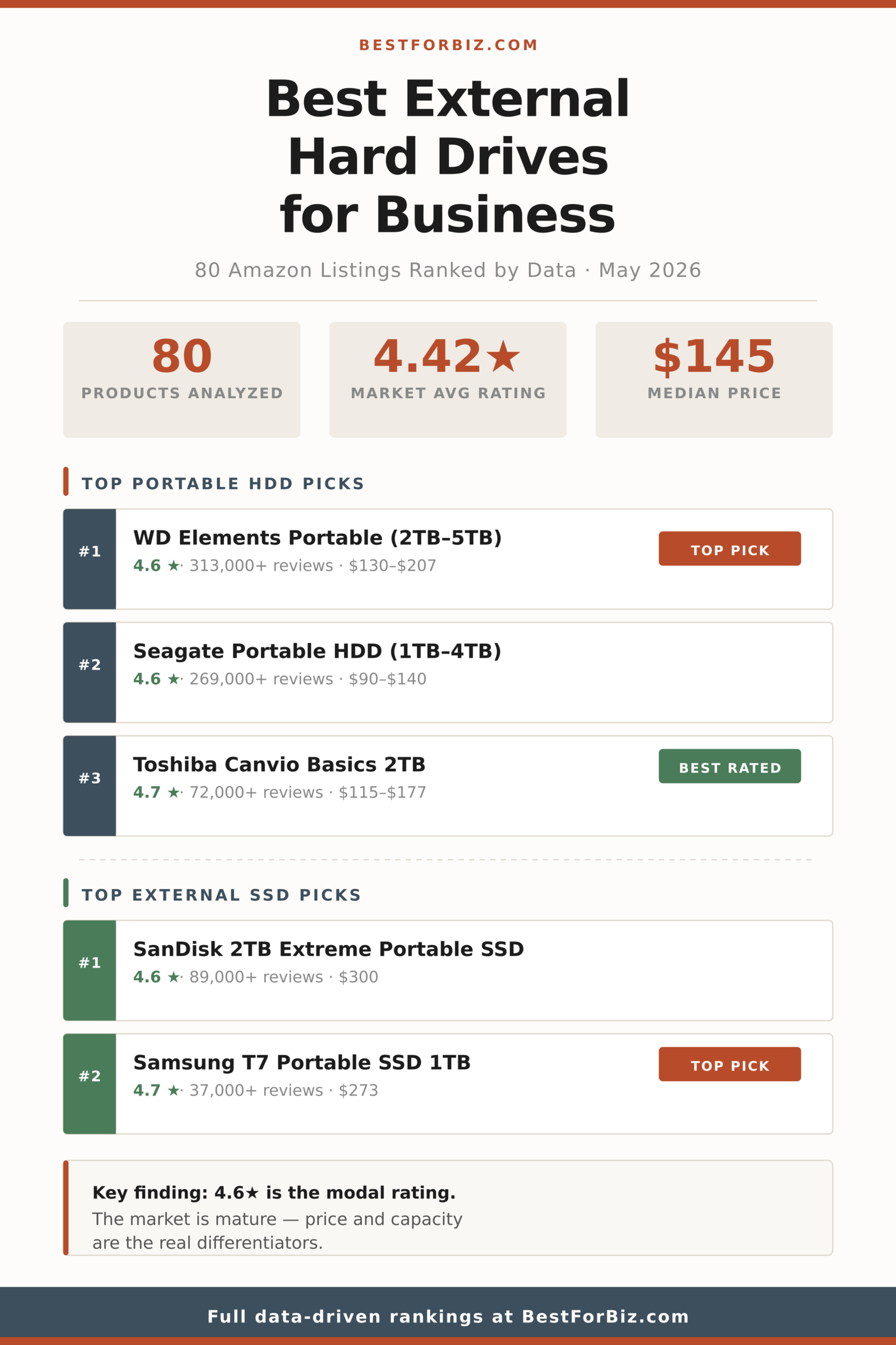
The external hard drive market splits into two very different buyer decisions: you’re either shopping for storage capacity per dollar, or you’re paying a premium for flash-speed performance. Portable HDDs dominate the category by volume — they account for roughly 76% of Amazon’s organic results — but external SSDs have built a genuine foothold in the $150–$300 range, backed by review totals that rival the HDD incumbents. This analysis covers 80 listings across both types, ranked by a combined score of rating and review weight, with accessories excluded from the rankings.
The market is heavily consolidated around two brands. WD and Seagate together account for a majority of the high-review-count listings, and both deliver consistent 4.6-star averages across their portable lines. The interesting action is at the margins: Toshiba’s Canvio line punches above its recognition level, Samsung holds the top average rating in SSDs, and the under-$50 HDD segment is dominated by slim-form budget drives that trade speed and build quality for aggressive pricing.
If you’re buying for a small business context — file backup, point-of-sale data archiving, media storage for a studio — the sweet spot in this dataset is clear: $100–$150 for HDDs (4.46 average rating), and $270–$290 for SSDs when speed matters. Here’s what the data shows.
How the External Hard Drive Market Is Actually Structured
Across 80 organic listings, ratings cluster tightly in the 4.4–4.6 band, which tells you most of what you need to know about this category: it’s mature, competitive, and difficult to differentiate on quality alone. The average rating is 4.42 stars, with the modal rating at exactly 4.6 — claimed by 25 of the 80 products analyzed. Only 6 products fell below 4.0 stars, and those were either niche ultra-capacity desktop drives or no-name budget entries with thin review bases.
The review distribution reinforces this consolidation story. The top products — WD Elements and Seagate Portable lines — carry 270,000 to 313,000+ reviews each, numbers that smaller competitors simply cannot manufacture. Below those flagship lines, the drop-off is steep: third place by review count sits around 90,000. That concentration matters when you’re making a business purchase decision, because review volume at scale is one of the most reliable quality proxies in consumer hardware categories.
Fig. 01 — Rating Distribution Across 80 External Drive Listings
The market clusters hard at 4.4–4.6 stars, with 25 products hitting exactly 4.6 — the most common single rating in the dataset.
N=80 organic listings. Ratings rounded to one decimal. Data collected May 2026.
What this distribution communicates clearly: the bottom of the market is thin and risky. Products below 4.0 stars represent a small fraction of listings, and they tend to share two traits — low review counts (under a few hundred) or extreme capacity/price points that serve a very narrow professional use case. For a business buyer, nothing below 4.3 stars with under 1,000 reviews is worth the risk.
The 4.4–4.6 range is where you’re shopping. The question becomes not “is this drive reliable” — they mostly are — but “which drive gives me the best capacity-to-dollar ratio at the right form factor.” That’s where price tier analysis earns its keep.
4.6 stars is the modal rating across 80 external drive listings — this market has been competed into near-uniformity on quality, which means price and capacity are the real differentiators.
From our analysis of 80 external storage listings — May 2026
Does Spending More Get You a Better-Rated Drive?
Mostly, yes — but only up to a point. The $150–$250 tier is the sweet spot by average rating (4.49 stars), and it’s also where the largest concentration of products sits (24 of 80). The under-$50 and $250+ tiers both underperform relative to the middle, for different reasons: budget drives attract buyers who often have lower expectations or are returning items when they don’t work out, and the premium tier includes some high-capacity desktop drives with mechanical reliability complaints that drag averages down.
The most actionable takeaway: the $100–$150 tier delivers 4.46 average stars across 20 products, which is nearly indistinguishable from the $150–$250 tier in rating terms. You’re paying more in the upper range mostly for additional storage capacity, not meaningfully better hardware quality.
Fig. 02 — Average Rating by Price Tier
The $150–$250 tier earns the highest average rating; the $250+ tier underperforms despite carrying the highest price tags.
N=80. Average ratings per price tier. The $150–$250 range is the best-performing tier; $250+ includes high-capacity desktop drives with lower satisfaction scores.
The $250+ underperformance is worth unpacking. That tier is dominated by large-capacity desktop HDDs (6TB, 8TB, 22TB) and premium SSDs. The desktop drives drag the average down — they carry vibration, noise, and reliability concerns that portable drives don’t, and buyers notice. The premium SSDs in this range perform well, but they’re fewer in number and can’t offset the desktop HDD drag on their own.
For a business buying portable storage, this data suggests a ceiling around $250 before you start paying for size rather than quality. The lone exception: external SSDs, which earn their premium across the $270–$300 range through a combination of durability, speed, and a buyer profile that tends to rate more carefully.
HDD vs. SSD: Which Type Dominates Amazon Results
Traditional spinning-disk HDDs still control this search category by a wide margin. Of the 80 products analyzed, 61 were HDDs (a mix of portable and desktop form factors) and 19 were SSDs. That’s a 76/24 split. But the SSD slice carries a disproportionate share of the high-engagement reviews — SanDisk’s Extreme line alone accounts for nearly 90,000 reviews, and Samsung’s T7 family brings another 54,000+ combined.
The split reflects two genuinely different buyers. HDD buyers are optimizing for cost-per-terabyte — a 5TB portable drive at $207 is hard to beat on raw storage economics. SSD buyers are prioritizing speed and portability: USB 3.2 Gen 2 flash storage at 1,050+ MB/s transfers is a different product category that happens to share the same search results page.
Fig. 03 — Market Split by Storage Type
HDDs account for 76% of organic search listings; SSDs hold 24% but punch above their weight on review volume.
N=80 organic listings. One carrying-case accessory and one combo hub listing excluded from type classification.
The practical implication for business buyers: if you need more than 2TB of portable storage on a budget, you’re in HDD territory by default — there’s no SSD at that capacity that competes on price. If you need sub-1TB storage that can withstand drops, goes in a bag daily, and transfers large files quickly, the SSD case becomes compelling despite the higher per-gigabyte cost.
The rankings below are split by type for this reason. Comparing a $90 1TB HDD against a $155 1TB SSD isn’t an apples-to-apples decision — it’s a speed-vs-cost trade-off, and both choices are rational depending on use case.
Top-Ranked External Hard Drives by Type
Rankings are scored by a combined metric of star rating and review volume (using logarithmic weighting to prevent outlier review counts from dominating). Products with fewer than 100 reviews are excluded from top picks regardless of rating — a 4.9 from 12 buyers is not a reliable signal. Sponsored listings were not present in these results; organic rankings only.
Note: Amazon search results sometimes include sponsored placements. Any sponsored listings identified were excluded from the rankings below so these picks reflect organic market performance only.
Top Portable HDD Picks
Rank 1 — Portable HDD
WD Elements Portable External Hard Drive (2TB–5TB)
4.6 Stars313,000+ reviews$130–$207Portable HDD
The WD Elements line holds the highest review count in the entire dataset — 313,000+ across all capacity variants — which at this scale effectively functions as a reliability certification. The 2TB at $130, 4TB at $160, and 5TB at $207 all carry identical 4.6-star ratings, meaning you’re choosing by storage need rather than by quality tier. The drive is plug-and-play across Windows, Mac, PlayStation, and Xbox with no reformatting required. For a business buying backup storage at volume, the per-unit predictability here is hard to argue against. No-fuss, no surprises — it works.
Seagate’s portable line earns the same 4.6 stars as WD Elements with 269,000+ reviews — the second-largest review pool in the dataset — and at a slightly lower price point per terabyte. The 1TB at $90 and 2TB at $120 are particularly strong value propositions for small businesses that need affordable per-seat backup drives. Seagate includes a 1-year Rescue Data Recovery Service with these drives, which adds meaningful peace of mind for business-critical files. USB 3.0, bus-powered, compatible across major platforms. A legitimate alternative if WD is out of stock or priced higher at time of purchase.
Toshiba Canvio Basics 2TB Portable External Hard Drive
4.7 Stars72,000+ reviews$115–$177Portable HDD
Toshiba’s Canvio Basics earns a 4.7-star average — the highest of any HDD in the primary portable category — across 72,000+ reviews. It’s the underdog story in this dataset: less marketing noise than WD or Seagate, but consistently better-rated by buyers who’ve actually used it. The 2TB version at $115 is a strong value relative to equivalent Seagate capacity. Toshiba offers no recovery service and fewer software extras, but for buyers who just want storage that works and stays out of the way, the Canvio Basics is the data-backed choice. If you prioritize review quality over review quantity, this wins.
Marketed as a gaming drive, the WD_BLACK P10 earns a 4.7-star average across 25,000+ reviews and represents excellent value at $159 for 5TB. The rugged matte casing and compatibility with PlayStation and Xbox are relevant for businesses working in A/V production or game development, but the drive functions as standard USB storage for any use case. At $32/TB, it matches or beats the WD Elements line on price-per-terabyte while carrying a higher average rating — a combination that earns it a spot here even if the branding skews consumer.
Maxone 500GB Ultra Slim Portable External Hard Drive
4.4 Stars59,000+ reviews$35Portable HDD
The Maxone 500GB at $35 is the budget pick that actually has enough review volume to take seriously — 59,000+ reviews at 4.4 stars is a legitimate data point, not a thin sample. It’s a slim-form, bus-powered drive with USB 3.0 at a price point that makes sense for light-use backup scenarios: a point-of-sale daily backup drive, a portable file handoff drive kept at a front desk, or a cheap expansion for a shared media folder. Storage capacity is modest, but for businesses that don’t need terabytes and want something cheap enough to replace without a budget meeting, this is the right call.
The SanDisk Extreme 2TB has the highest review volume of any SSD in the dataset — 89,000+ — at a 4.6-star average, making it the clear top score by the ranking methodology. USB-C with USB 3.2 Gen 2, up to 1,050 MB/s read, IP65 water and dust resistance. The 2TB capacity puts it in a practical range for video production workflows, creative agencies, or any business that moves large files between locations regularly. The “Old Model” label in the listing title is a minor caveat — it reflects the product being superseded in SanDisk’s lineup, but the drive remains widely available and fully supported.
The Samsung T7 earns a 4.7-star average — the highest of any SSD in this dataset — across 37,000+ reviews, a combination that puts it at the top of the SSD ranking by rating if you weight quality over volume. USB 3.2 Gen 2 with speeds up to 1,050 MB/s, optional password protection with AES 256-bit hardware encryption (a genuine differentiator for businesses handling sensitive client files). The compact, aluminum form factor is genuinely pocketable. At $273 for 1TB it’s priced at a premium, but the encryption feature and Samsung’s reliability reputation at this review scale make it a defensible business purchase.
The entry-point SSD pick for buyers who want flash-drive performance without the $270+ price tag. The SanDisk 1TB Portable SSD delivers up to 800 MB/s via USB-C and USB 3.2 Gen 2 at $155 — meaningfully faster than any HDD on this list at a price that’s competitive with mid-range portable HDDs when you factor in the speed premium. At 4.6 stars with 10,000+ reviews, the reliability signal is solid. This is the right SSD for a business that has one or two high-transfer-need users (video editors, designers moving large assets) but can’t justify the T7 or Extreme premium across the full team.
The external storage market at the brand level is a two-horse race between WD and Seagate, but several challengers have carved out legitimate niches. Here’s how every brand with two or more products in this dataset performs across rating, review volume, and pricing.
Brand
Products
Avg Rating
Total Reviews
Avg Price
Take
Amazon Basics
3
★ 4.70
119,000+
$118
Highest avg rating of any brand in the dataset; worth serious consideration despite the house-brand skepticism.
Samsung
3
★ 4.70
56,000+
$283
Tied for top rating, premium priced, SSD specialist — the right choice when encryption and speed matter most.
Toshiba
4
★ 4.62
118,000+
$124
Consistently outperforms its brand recognition level; the best rating per dollar among major portable HDD brands.
WD
12
★ 4.57
1,084,000+
$178
Largest review base of any brand; the safe, boring, correct choice for businesses buying multiple drives.
LaCie
5
★ 4.50
28,000+
$160
Rugged-focused lineup with strong ratings; worth it for field workers or anyone transporting drives regularly.
Seagate
17
★ 4.45
928,000+
$185
Most products in the dataset; slight rating edge goes to WD but both brands are trustworthy at any business scale.
SanDisk
5
★ 4.44
120,000+
$230
SSD-focused, high review volumes, slightly lower avg rating than Samsung — the value SSD brand in this market.
SSK
4
★ 4.45
8,000+
$79
Budget SSD with decent ratings but thin review base; acceptable for low-stakes use, not for mission-critical storage.
Avolusion
4
★ 3.50
<200
$202
Avoid. Lowest average rating of any multi-product brand in this dataset, with essentially no review base to validate the listing.
The Amazon Basics result is the most surprising finding in this brand analysis. Three products, 4.70 average stars, 119,000+ reviews combined — that’s not a fluke. The Amazon Basics carrying case and flash drive included in those results inflate the review count somewhat, but the underlying storage products perform at or above the category average. Buyers tend to dismiss Amazon house-brand hardware on reflex; the data says that reflex is miscalibrated here.
Avolusion is the clear avoid. A 3.50 average rating across four products with under 200 combined reviews is exactly the pattern that indicates a brand that hasn’t earned its place in organic rankings through buyer satisfaction. The products appear to target the desktop NAS and high-capacity enclosure market, but neither the ratings nor the review depth justify purchasing over established alternatives.
LaCie deserves more attention than it typically gets in business storage conversations. Five products at 4.50 stars average and a rugged-drive specialty (the Rugged Mini line) makes this brand the right call for any team that physically transports storage between job sites. The premium over comparable WD or Seagate options is real but justified for the form factor.
How to Choose the Right External Drive for Your Business
The decision tree here is simpler than the product count suggests. A few questions narrow the field quickly.
How much storage do you actually need?
For most small businesses doing daily backups of documents, spreadsheets, and email archives, 1TB is plenty — and 2TB gives you years of headroom. Video production, photography studios, or any team managing large media files should size up to 4TB or 5TB and stay in the portable HDD segment for cost efficiency. SSD capacity options in this dataset max out around 2TB before prices become difficult to justify.
Does transfer speed matter for your workflow?
If you’re regularly moving files larger than 5–10GB — raw video, large design files, database dumps — a USB 3.2 Gen 2 SSD at 800–1,050 MB/s will save meaningful time over an HDD’s typical 120–140 MB/s. For daily backups that run overnight, or document archives that transfer in minutes regardless of drive type, speed doesn’t justify the SSD cost premium.
Will the drive travel or stay at a desk?
Portable HDDs are bus-powered and don’t require an external power brick — they go wherever a laptop goes. Desktop HDDs (like WD My Book or Seagate Expansion at 6TB+) require an AC adapter and are effectively fixed-location devices. If the drive moves, stick to a portable form factor. If it stays at a workstation for continuous backup, desktop HDDs give you better capacity per dollar at higher storage tiers.
Are you storing sensitive client data?
The Samsung T7 line includes AES 256-bit hardware encryption with optional password protection — the only drives in this dataset that explicitly offer this feature. If the drive contains financial records, client contracts, or any data subject to compliance requirements, hardware encryption on the drive itself is simpler and more reliable than software-level solutions. Budget HDDs offer no encryption at all.
How many drives are you buying?
For single-unit purchases, pick by rating and review volume — the recommendations above hold. For multi-unit business purchases (5+ drives), standardize on WD Elements or Seagate Portable and buy from a single capacity variant. Consistency in fleet management and replacement parts justifies the reduced flexibility. Both brands offer Amazon Business purchasing options.
Final Verdict
The external storage market is mature enough that most buyers can’t go wrong choosing any product from a major brand with substantial review history. The real risk is at the edges: budget drives with thin review bases, high-capacity desktop HDDs with mediocre satisfaction scores, and no-name brands that appear in search results through optimization rather than customer validation. The data in this analysis points toward a handful of products that consistently earn their rankings through buyer behavior at scale.
For most businesses, the WD Elements series is the default correct answer for HDD storage, and the Samsung T7 or SanDisk Extreme is the default correct answer for SSD storage. Toshiba’s Canvio line is the underrated alternative worth knowing. Everything else is a variation on a theme — and Avolusion is the one brand the data specifically warns you away from.
3.5 avg stars · under 200 reviews across 4 products · $200+
Methodology and Transparency
This analysis is based on 80 organic Amazon listings in the external hard drive category collected in May 2026. Products are ranked using a composite score that weights star rating against logarithmically scaled review volume — a method designed to surface drives that are both highly rated and validated by meaningful buyer populations. Products with under 100 reviews were excluded from top-pick consideration regardless of rating. One accessory listing and one combo hub product were excluded from type classification. Prices are current as of data collection and will change; always confirm pricing on Amazon before purchasing.
Affiliate Disclosure — Best for Biz participates in the Amazon Services LLC Associates Program, an affiliate advertising program that allows sites to earn advertising fees by linking to Amazon.com. When you click a product link and make a purchase, we may earn a commission at no additional cost to you. This does not influence our analysis or recommendations, which are based on market data. Product availability and pricing change; always verify current details on Amazon before purchasing.
Buying a server rack or network cabinet on Amazon should be simple. In practice, the search results are a maze: 42U floor-standing giants next to 4U desktop enclosures, open frames mixed with locked cabinets, and enough branded noise to make a reasonable IT buyer give up and just repurpose a shelf. We pulled 150 listings from Amazon’s server rack search results and ran the numbers so you don’t have to.
After removing sponsored placements and listings with missing data, we scored 139 products across rating, review volume, price, and product type. The market splits cleanly into two categories: open frame racks (ventilated, accessible, preferred for controlled environments) and enclosed cabinets (lockable, dust-resistant, better for shared spaces or offices). Each category has a different buyer profile and a different price curve, and conflating them is how people end up buying the wrong thing.
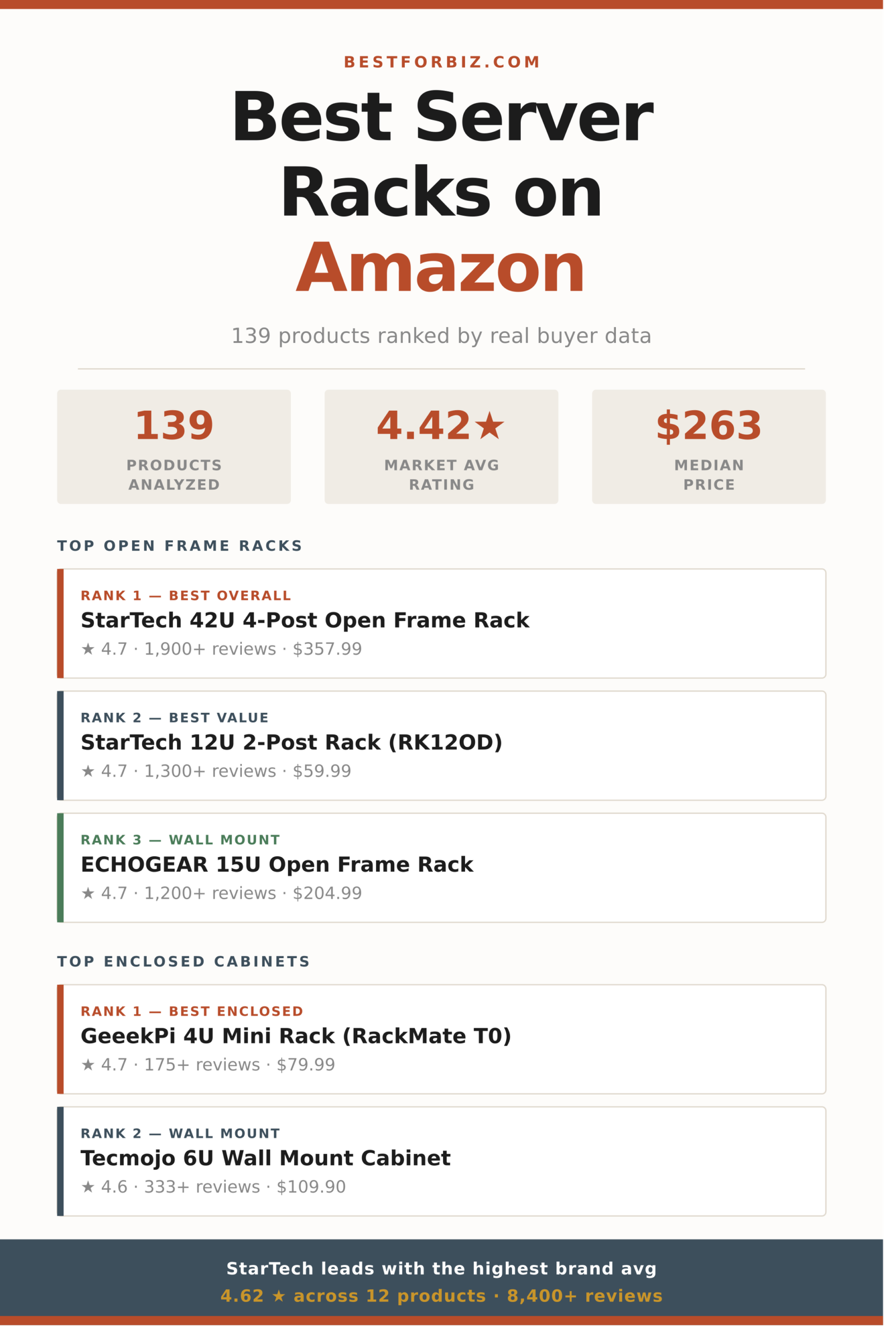
The overall market rating sits at a healthy 4.42 stars, with the median unit priced at $263. The $800+ tier actually posts the best average ratings, but you don’t need to spend four figures to get a solid performer. Three brands, StarTech, NavePoint, and Tecmojo, account for more than a third of all listings and dominate the top-reviewed segment. Here’s what the data shows.
How the Server Rack Market Is Rated
The server rack category skews high-performing on Amazon, but it’s not uniformly so. Nearly half of all primary products (47%) land between 4.4 and 4.6 stars, forming a reliable “good enough” middle tier. The true standouts, products rated 4.7 and above, represent about 14% of the market. At the other end, only 5 products scored below 4.0, which means the floor in this category is reasonably high. Buyers aren’t regularly stuck with poor-quality racks.
Fig. 01 — Rating Distribution: Server Racks & Network Cabinets
Ratings cluster tightly around 4.4–4.6, with only a small tail of underperformers below 4.0.
N=118 primary server rack products (accessories excluded). Sponsored listings removed. Data collected May 2026.
The 4.6-star bin is actually the single most populated rating point with 21 products, just edging out 4.4 (19 products). Together, these two ratings account for one-third of all primary listings. Products below 4.0 are rare enough that you’re unlikely to accidentally buy one unless you’re hunting for the cheapest possible price regardless of quality.
One thing worth noting: this category has an unusually thin tail of 5.0-star products. Only 3 listings hit a perfect score, and all of them have low review counts, which typically means the rating hasn’t been stress-tested at scale. When you see 5.0 stars on a rack with fewer than 20 reviews, hold that rating loosely.
4.6 stars is the most common rating point in this market, yet the average buyer still lands at 4.42 — meaning the distribution has a meaningful tail of underperformers dragging the mean down.
From our analysis of 118 server rack and network cabinet listings
Does Spending More Get You a Better Server Rack?
The relationship between price and quality in this category is more nuanced than a simple “pay more, get more.” The data shows a slight U-curve: budget options under $100 actually rate well (4.40 avg), mid-range racks in the $100–$400 band are competitive but not dominant, and the $800+ tier posts the category’s best average at 4.54. The weakest tier by rating is $400–$800, which happens to be where a lot of medium-depth enclosed cabinets live.
Fig. 02 — Average Rating by Price Tier (Primary Products Only)
The $800+ tier leads on average rating, but the $200–$400 sweet spot delivers nearly identical performance at a fraction of the cost.
N=107 primary products with complete price and rating data. Accessories excluded. Highlighted bar (gold border) = best value tier by rating-to-cost ratio.
The $200–$400 band is the standout value zone. It contains the largest number of products (36), rates second-best overall (4.45), and covers most practical use cases: 12U to 25U open frames, mid-depth enclosed cabinets with locking doors, and wall-mount units with casters. This is where brands like StarTech, NavePoint, and ECHOGEAR do their best work.
The $400–$800 tier’s weaker average (4.34) is partly a category artifact. This range is dominated by larger enclosed cabinets and commercial-grade open frames that attract more demanding buyers with higher expectations. A 4.34-star rating isn’t bad, it’s just that the competition at this price point is stiffer. If you’re shopping here, be more selective, not less.
Open Frame vs. Enclosed Cabinet: Which Type Do You Need?
The 139 products in this dataset split almost evenly between open frame racks (61 primary units) and enclosed cabinets (57 primary units), with 21 accessories making up the remainder. This near-even split reflects the market reality: both types serve distinct buyer profiles, and neither is the wrong choice if you understand what you’re buying.
Open frame racks, typically 4-post or 2-post designs, prioritize airflow and accessibility. Cable management is visible, equipment is easier to swap, and cooling is simpler because there’s no enclosure to trap heat. They’re the standard in dedicated server rooms, data closets with controlled access, and AV installations. Enclosed cabinets, by contrast, add lockable doors, side panels, and often integrated fan units. They’re the right call when the rack lives in a shared space, an office environment, or anywhere physical access control matters.
Fig. 03 — Market Split Across Product Types (Full Dataset)
Open frame racks and enclosed cabinets split the primary market almost evenly; accessories account for about 15% of all listings.
Accessories (shelves, PDUs, blanking panels, drawer units) were identified and excluded from the primary rankings. They appear in a companion section below.
Because the two types rate and price differently, the rankings below are split by type rather than combined. An open frame rack and an enclosed cabinet are not substitutes for each other. Comparing them on a single ranked list would be like ranking sedans against pickup trucks, technically possible but not particularly useful to someone who already knows which type they need.
Top Server Rack Picks by Type
Rankings weight organic buyer rating (primary factor) against review volume (credibility signal). A product rated 4.7 by 1,900 buyers ranks above one rated 4.8 by 12 buyers. Sponsored listings were excluded from all rankings. Accessories analyzed separately.
Note: Amazon search results include sponsored placements. All sponsored listings were identified and excluded from the rankings below, so these picks reflect organic market performance only.
Open Frame Racks
Rank 1 — Open Frame
StarTech 42U 4-Post Server Rack — 40in Depth, 1323lb Capacity
4.7 stars1,900+ reviews$357.99Open Frame / 4-Post
StarTech’s 42U 4-post open frame rack is the category’s most-reviewed open frame unit with a meaningful buyer base to back the 4.7-star score. The 40-inch mounting depth and 1,323lb weight capacity put it in legitimate enterprise territory without the enterprise price tag. The 4-post adjustable design accommodates gear from shallow patch panels to deep UPS units without modification. Reviewers consistently flag the build quality and included caster wheels as real standouts at this price point. For a dedicated server room or data closet where airflow is the priority, this is the benchmark unit.
StarTech.com 12U 2-Post Open Frame Network Rack (RK12OD)
4.7 stars1,300+ reviews$59.99Open Frame / 2-Post
At $59.99, this 12U 2-post unit is the best-value open frame in the entire dataset. It carries the same 4.7-star rating as the 42U flagship at a fraction of the price and still pulls 1,300+ verified reviews. The 2-post design suits lighter loads: network switches, patch panels, fiber distribution, and AV gear. Free-standing with a small footprint, it works in closets, under desks, or in any space where a full 4-post floor rack is overkill. If your needs are modest and your budget is limited, nothing in the category competes at this price.
ECHOGEAR’s 15U is the top pick for buyers who want open frame flexibility with wall-mount capability. It ships with two vented shelves, 25 rack screws, leveling feet, and securement straps, making it genuinely plug-and-play compared to most competitors that charge extra for hardware. The 4.7-star rating from 1,200+ buyers is especially strong given that wall-mount racks typically draw more critical reviews due to installation complexity. This is the right unit for a home office server setup, a small business closet, or any environment where floor space is premium.
GeeekPi 4U 10-inch Mini Server Rack Cabinet (DeskPi RackMate T0)
4.7 stars175+ reviews$79.99Enclosed / Mini / Desktop
The GeeekPi DeskPi RackMate T0 is a standout in the enclosed category for a very specific buyer: homelab builders, Raspberry Pi clusters, and anyone running compact network gear who wants a proper rack form factor without a floor cabinet. The 10-inch mini rack format and 7.87-inch depth make it genuinely desk-ready. At 4.7 stars from a growing buyer base, it’s punching well above its $79.99 price point. This isn’t the right pick for production server loads, but for homelab, home office networking, or compact media equipment, nothing in the enclosed segment matches its combination of rating, price, and compact form.
Tecmojo 6U Wall Mount Server Cabinet — Lockable, Glass Door, Cooling Fan
4.6 stars333+ reviews$109.90Enclosed / Wall Mount
Tecmojo’s 6U wall-mount cabinet is the most practical enclosed option for a small business or home office that needs a standard 19-inch rack with real security features at a sub-$150 price. The lockable door, included cooling fan, and removable side panels give it a complete feature set that most competitors require add-on purchases to match. The 450mm depth handles most shallow-to-medium networking gear without issue. At 4.6 stars from 333 buyers, it’s well-validated at its price point. Tecmojo as a brand dominates the sub-$200 enclosed wall-mount category and this is their best performer by rating and review volume.
4.4 stars1,200+ reviews$182.99Enclosed / Floor / Wall Mount
NavePoint’s 12U enclosure is the category’s most-reviewed enclosed cabinet at this price tier, and 1,200+ reviews at 4.4 stars is a credible signal on a product that ships in a competitive $150–$200 band. The glass door, built-in fan, removable side panels, and locking mechanism give it a complete feature set for small business server room applications. It’s not the highest-rated cabinet in the dataset, but it’s the most battle-tested enclosed unit under $200. NavePoint appears 13 times in the dataset with one of the stronger brand average ratings (4.48), which adds category-level confidence to this pick.
The server rack market on Amazon has a clear tiered structure by brand. A handful of names appear repeatedly with enough review volume to form a reliable opinion on, while the long tail is full of house brands and single-listing importers with no track record. The table below covers brands with at least two products in the dataset, ranked by product count.
Brand
Products
Avg Rating
Total Reviews
Avg Price
Take
Tecmojo
14
★ 4.36
1,500+
$163
Dominant at budget wall-mounts. Consistent but not exceptional. Best option under $150 for enclosed cabinets.
NavePoint
13
★ 4.48
6,100+
$349
Strong mid-range brand with the most combined review volume in the dataset. Reliable across both open and enclosed lines.
StarTech
12
★ 4.62
8,400+
$492
Highest brand average rating in the category and the most total reviews. The default choice if quality and validation matter more than price.
RIVECO
6
★ 4.35
552
$251
A newer entrant with reasonable ratings and competitive pricing. Limited review depth makes it a wait-and-see for now.
VEVOR
5
★ 4.16
1,559
$142
Lowest brand average in this table. VEVOR’s broad multi-category presence means quality control varies. Fine for light-duty AV gear; skip for server loads.
ECHOGEAR
4
★ 4.53
1,874
$238
Small product line but strong ratings across it. Their wall-mount open frame design is a category best. Worth seeking out for the $200–$250 range.
RackPath
4
★ 4.45
618
$144
Solid budget open frame option with decent validation for a newer brand. Lower price point than most of the competition for comparable specs.
Tripp Lite
3
★ 4.50
135
$851
Legacy brand with enterprise roots. Appears at the premium end here. Limited review count for the price; best evaluated on spec sheets rather than Amazon reviews.
GeeekPi
3
★ 4.60
608
$122
Specialist in compact 10-inch mini rack format. High ratings across a small, focused product line. Only relevant if you’re building a homelab or micro rack setup.
Sysracks
2
★ 4.60
83
$1,389
Premium-priced full-height cabinets with strong early ratings, but thin review counts at this price point. Evaluate carefully before committing.
StarTech is the clear data leader: highest brand average rating (4.62), the most combined reviews in the dataset (8,400+), and a product line that spans budget 2-post racks all the way to enterprise 42U floor units. The $492 average price reflects where they play, not what they charge for entry-level products. Their 12U 2-post rack at $59.99 is one of the cheapest units in the entire dataset with a 4.7-star score.
VEVOR is the one name worth flagging as a risk. Their 4.16 average across 5 products is the lowest brand average in the table, and the pattern here matches what you see in other categories: VEVOR’s scale and pricing attract buyers looking for the cheapest option, and the ratings reflect it. For AV gear or light home use, the risk is manageable. For anything server-related where uptime and physical integrity matter, it’s a skip.
ECHOGEAR deserves more attention than it gets. Four products, all well-rated, with nearly 1,900 combined reviews, at a brand average of 4.53. That’s a tighter, more curated catalog than Tecmojo or NavePoint, and the per-product review volume suggests each unit has been genuinely stress-tested by buyers. If you land in the $200–$250 range, their wall-mount open frame line should be on your shortlist.
How to Choose the Right Server Rack for Your Setup
The framework below cuts through the most common decision points. Most buyers get stuck on unit count (how many U?) and miss the more important variables: environment, depth, and access requirements.
Is the rack going in a controlled environment or a shared space?
Controlled environment (dedicated server room, IT closet with access restrictions): open frame is fine and usually preferable for airflow and cable access. Shared space (office, retail area, school, anywhere others can physically reach it): enclosed cabinet with locking door is the right call. This single question eliminates half the market for most buyers.
How much depth does your deepest piece of equipment need?
Most 1U switches and patch panels are under 12 inches deep. Most 1U/2U servers are 24–32 inches deep. Standard wall-mount cabinets run 15–24 inches deep; full floor units typically offer 24–40 inches. Measure your deepest planned equipment before buying. Buying a 17-inch deep cabinet for a 28-inch server is a common and expensive mistake.
Do you actually need 42U, or will 12U do?
42U racks are for data centers and large server rooms. Most small businesses and home setups are well-served by 12U to 25U. A 12U unit holds 12 standard rack units of gear, which covers a firewall, a managed switch, a patch panel, and a UPS with room to spare. Buying more rack than you need wastes floor space and makes cable management harder. Size to your 3-year plan, not your 10-year plan.
Floor mount or wall mount?
Wall-mount units work well up to about 12U for lighter loads. Beyond that, the wall anchoring requirements become demanding and most buyers switch to floor-standing units with casters. If you’re at 12U or under, wall mount keeps the rack off the floor and out of the way. At 15U+, floor mount with locking casters is the practical choice.
Is this for AV gear, networking, or servers?
AV equipment often runs hot and benefits from maximum airflow, making open frame the default. Networking gear (switches, patch panels, firewalls) works in either type but rarely needs the weight capacity of a full server rack. Actual servers, especially 2U or larger, need deeper racks, higher weight ratings, and ideally PDUs already planned into the build. Buy for the actual equipment you’re installing, not the most prestigious rack in the category.
The Verdict
The server rack and network cabinet market on Amazon is better than it looks. Despite 150 listings that initially appear chaotic, the underlying quality distribution is solid: more than 60% of primary products rate 4.4 stars or above, and the sub-4.0 tier is genuinely rare. The decision framework matters more than the specific brand: nail down your environment, depth requirements, and unit count first, then shop brands.
StarTech dominates on validated quality across price points. NavePoint is the most reliable mid-market choice with the deepest review base. Tecmojo owns the budget wall-mount enclosed segment. ECHOGEAR is the underrated pick in the $200–$250 open frame space. The $200–$400 band delivers the best combination of selection, rating, and value for most buyers.
We analyzed 150 Amazon search results for server racks and network cabinets, collected in May 2026. After removing 6 sponsored listings and 5 entries with incomplete rating or price data, 139 products were included in the analysis. Rankings combine organic buyer rating (weighted heavily) with review volume as a credibility signal: a product rated 4.7 by 2,000 buyers ranks above one rated 4.8 by 15. Products were classified as open frame rack, enclosed cabinet, or accessory based on title and price signals; accessories were excluded from primary rankings. Prices are as listed at time of collection and may change. Always verify current pricing and availability on Amazon before purchasing.
Affiliate Disclosure — Best for Biz participates in the Amazon Services LLC Associates Program, an affiliate advertising program that allows sites to earn advertising fees by linking to Amazon.com. When you click a product link and make a purchase, we may earn a commission at no additional cost to you. This does not influence our analysis or recommendations, which are based on market data. Product availability and pricing change; always verify current details on Amazon before purchasing.
You need an ID card printer that matches your workflow, budget, and technical comfort. Choosing the right model helps you produce professional badges faster, reduce outsourcing costs, and keep sensitive printing in-house.
This guide highlights dependable options so you can quickly find a printer that fits your volume needs, connectivity preferences, and software expectations.
You want a printer that balances quality, ease of use, and ongoing cost. We prioritized print resolution and color fidelity because sharp text and true-to-life photos matter for IDs. We also weighed duty cycle and input capacity so the printer you choose can handle your regular batch sizes without constant refills.
Connectivity and software compatibility were key, since networked setups and simple integrations save you time. Finally, we considered warranty and customer support because downtime costs you more than the upfront price.
🏆 Best For Reliability
Magicard 300
If you want a dependable badge printer that stays out of your way, the Magicard 300 is built for steady, daily use. You get automatic duplexing, dye-sublimation color output and a compact footprint that works on a desktop or in a small office. The bundle includes ribbon, starter PVC cards and basic design software so you can be printing professional-looking badges quickly.
It’s a solid choice for clinics, small business offices, schools and occasional event runs where consistent, clear ID cards matter.
What People Say
Customers often highlight how quickly the printer produces sharp, professional cards and how the automatic duplexing saves extra steps. Many people find setup straightforward and like that it works with common desktop programs, while recurring concerns center on the bundled software being limited or requiring activation and occasional support delays.
Overall Sentiment: Neutral
Time Savings
You’ll save time with automatic duplexing, a 100-card input capacity and straightforward push-button controls that get you from design to finished badge without repetitive handling. The included starter supplies let you print your first badges right away instead of ordering consumables separately.
Versatility
You can use this for employee badges, volunteer IDs, school passes and small event credentials. It supports common CR80 card sizes and connects to laptops and PCs, so you can slot it into existing workflows and print single runs or medium batches without special setup.
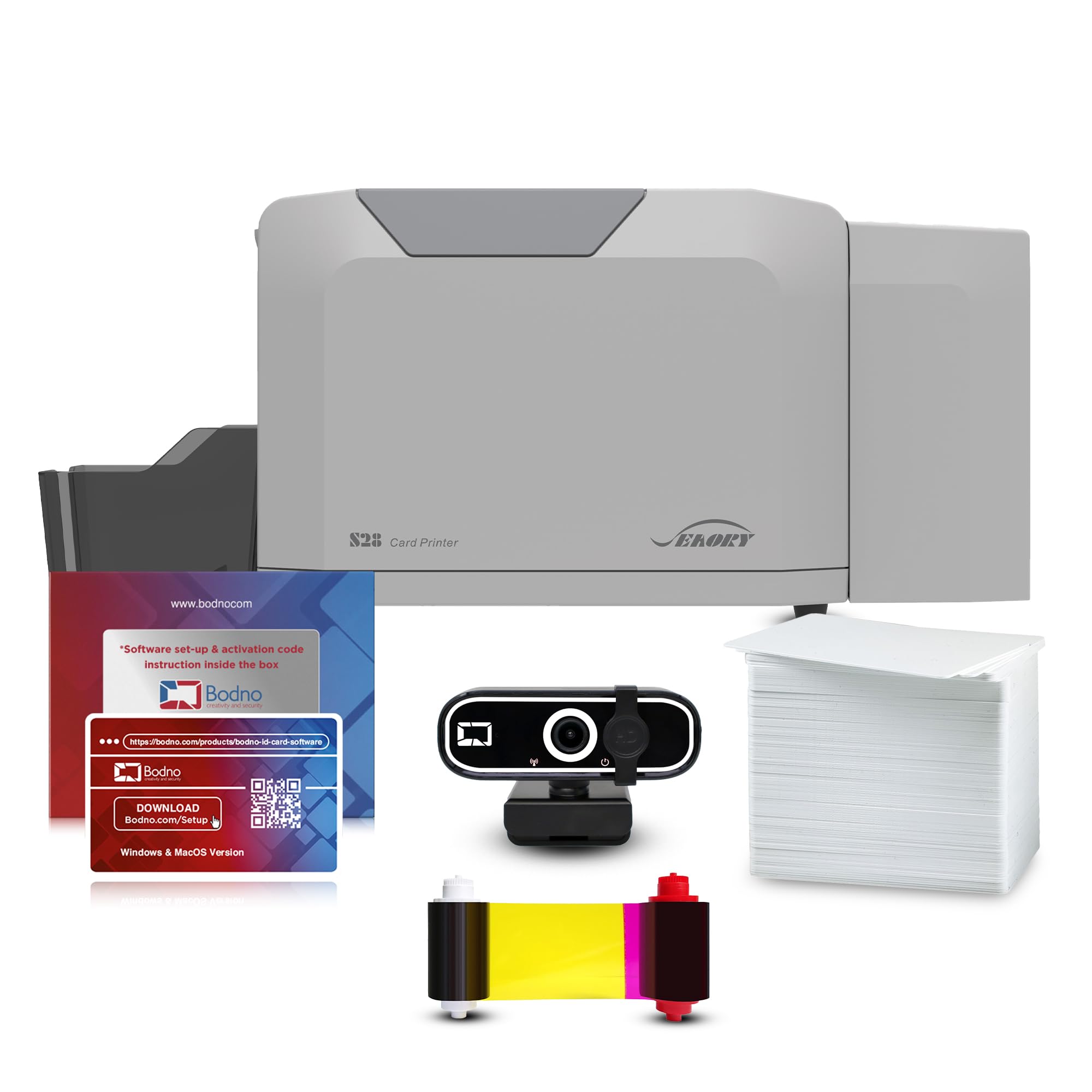
If you need a straightforward, network-ready badge printer you can share across a small team, the Pronto 100 is set up for that. It delivers high-resolution thermal prints and ships with Bodno Bronze Edition software plus a YMCKO ribbon and starter sheets so you can design and print right away. The compact design fits on a busy desk and the Ethernet/USB options make it simple to slot into existing setups.
It’s a practical choice for offices, schools and events where crisp, single-sided IDs are the norm.
What People Say
Users frequently mention crisp, professional prints and appreciate the hands-on customer support during setup. Many like that the bundle includes software and consumables, while a minority note activation or license hiccups that needed attention.
Overall people report solid day-to-day performance once the initial setup is resolved.
Overall Sentiment: Positive
Time Savings
Quick first-page response (about 5 seconds black-and-white, ~23 seconds full color), app control and network connectivity cut down on manual file transfers, and bundled consumables let you print test badges immediately.
Versatility
Great for employee badges, visitor passes and event credentials using CR80 cards; best when you only need single-sided color printing since duplex is not supported.
Key Benefits
Network-ready with Ethernet and USB sharing
High-resolution color printing (up to 1200×1200 dpi)
If you print cards regularly, the Primacy 2 is built to keep up without constant babysitting. You get automatic duplexing, a large input capacity and network-ready connections so multiple people can send jobs without interrupting each other. The dye-sublimation output delivers consistent color and the touch controls make everyday tasks feel straightforward. It’s a practical pick for offices, schools, membership programs and any situation where you run steady batches of badges.
What People Say
People often praise how well the Primacy 2 handles steady workloads and how straightforward it is to integrate if you already use Evolis systems. Many note the strong color quality and reliable output, while common gripes mention occasional jams or network and software setup that can take extra time to sort out.
Overall Sentiment: Positive
Time Savings
Automatic duplexing and the 280-card input let you run larger batches with less handling, and Ethernet support reduces file shuttling so you can print from multiple workstations without delays.
Versatility
Use it for employee badges, student IDs, membership and event credentials; it supports CR-80 cards and works well in networked environments where you need both single and double-sided printing.
You’ll appreciate how approachable the Solid 210 is if this is your first time running an ID printer. Setup and the included beginner software are designed so you can design and print badges without a steep learning curve.
The unit is compact and lightweight, so it fits on a crowded desk or a check-in table for an event. It’s a sensible pick for small offices, schools, clubs and occasional event use when you want simple, reliable badge printing without a lot of fuss.
What People Say
Customers commonly point to how easy the Solid 210 is to set up and use, and many appreciate the helpful support from the company. People also value the starter supplies and clear print quality, while a few mention occasional hardware hiccups or missing accessories that required follow-up.
Overall Sentiment: Positive
Time Savings
The included software and starter consumables let you go from unboxing to printing quickly, and the USB/app control keeps file transfers straightforward so you spend less time on setup.
Versatility
Good for employee badges, student IDs and event passes where single-sided prints are sufficient; it handles small to medium batches and is ideal when portability or a small footprint matters.
Key Benefits
Beginner-friendly software and workflow
Includes PVC cards and color ribbon to start printing right away
Compact, lightweight design for tight workspaces
USB connectivity and app control for simple file handling
300 x 300 dpi color output suitable for photos and logos
If photo-quality badges matter to you, the Seaory S28 focuses on crisp, true-to-life color and smooth two-sided printing. The automatic duplexing and touch controls make routine batches feel straightforward, and the compact footprint fits on a busy desk or event table. It comes with starter supplies and software so you can start producing polished IDs soon after setup.
Use it for daily employee badges or short-run event credentials where presentation counts.
What People Say
Customers often mention the excellent print clarity and consistent color reproduction, and many appreciate how compact and easy the unit is to operate. Setup is usually described as smooth with the bundled software, and several users note responsive customer support when they needed help.
A few people report minor questions around networking or initial configuration.
Overall Sentiment: Positive
Time Savings
Automatic duplexing, touch controls and included starter supplies reduce handling and let you produce finished badges faster, while USB connectivity and a compact workflow cut down on setup and transfer time.
Versatility
Good for employee IDs, visitor passes, student cards and event credentials; it supports common card sizes and works with computers, tablets and smartphones so you can print from a variety of setups.
Key Benefits
High-resolution color up to 300 x 1200 dpi for sharp photos
Automatic duplexing for two-sided IDs
Compact design that fits tight workspaces
Starter supplies and software included for faster setup
Touch controls and USB connectivity for simple operation
Start by matching the printer to your print volume and the type of cards you need. Think about whether you need single or dual-sided printing, how many cards you’ll produce weekly, and whether network sharing or USB-only connection fits your setup. Pay attention to print resolution if photos matter, and confirm the vendor supplies compatible ribbons and PVC cards so you’re not stuck hunting consumables.
Also factor in warranty and support since reliable service saves you time when something goes wrong.
Will The Printer Work With My Computer?
Most badge printers support common desktop systems via USB or Ethernet, but you should check driver and software compatibility before you buy. Look for explicit support for your operating system and whether the vendor provides an app or standalone software that suits your workflow. If you plan to print from multiple workstations, choose a network-ready model and test a driver install or demo to make sure the printer integrates with your badge-design tools.
What Maintenance And Supplies Should I Expect?
You’ll regularly replace ribbons and PVC cards, and you should keep a cleaning kit handy to prevent jams and maintain color accuracy. Run a cleaning card whenever print quality drifts, store cards flat away from heat and direct sunlight, and follow the manufacturer’s guidance on ribbon installation to avoid misfeeds. Keep spare consumables on hand for batch jobs and register your product so you can access warranty support or replacement parts if needed.
Wrapping Up
Now that you know what to look for, pick the model that matches how you work. If you prioritize highest customer satisfaction and color fidelity, the Seaory S28 is the standout choice.
If you manage large print runs on a network, the Evolis Primacy 2 gives the capacity and speed you need. For a solid midrange bundle with network capability and good value, the Pronto 100 is a sensible pick. If you are buying your first badge printer and want an easy starter kit, the Solid 210 keeps setup simple and costs lower. If long-term reliability and a proven automatic duplex workflow are most important, the Magicard 300 is built for steady professional use.
Choose based on your volume, budget, and how much hands-on setup you want to do, and you’ll get a system that saves time and keeps badge production in your control.
We participate in affiliate programs including the Amazon Services LLC Associates Program, or Impact, affiliate advertising programs designed to provide a means for creators to earn fees by linking to websites. We may earn a referral commission from qualifying purchases which supports the site and creation of these reviews.