
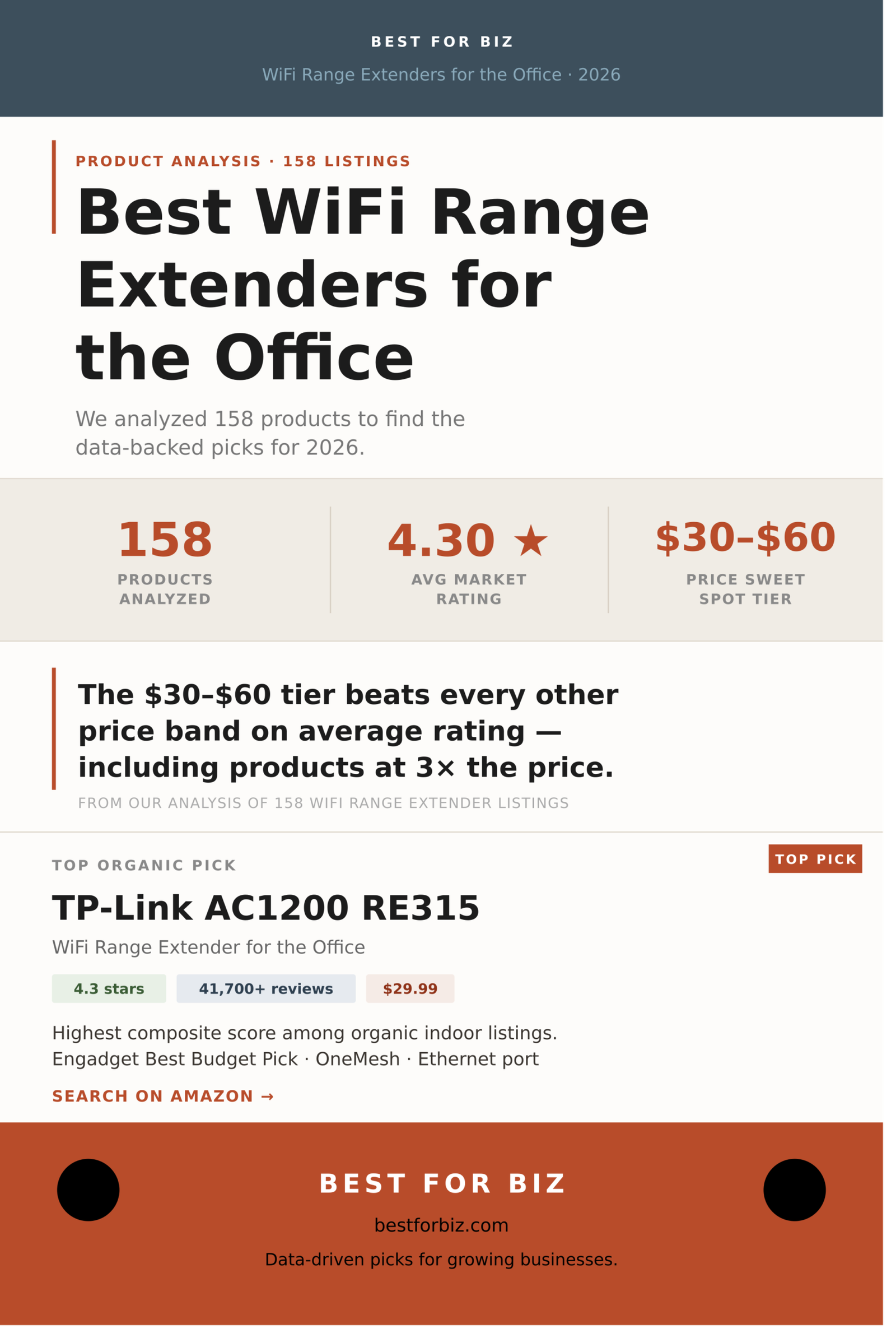
Dead zones in conference rooms, spotty signal in the back office, a warehouse floor that might as well be on the moon as far as your router is concerned. The wifi range extender for the office market has exploded to meet these needs, and the number of options on Amazon now runs well past anything a busy office manager has time to sort through. So we did the sorting. We pulled 158 deduplicated wifi range extender listings, stripped out sponsored placements, and ran a composite ranking model that weights both rating and review volume, because a 5-star product with 4 reviews tells you almost nothing useful.
The results are not what the pricing structure might lead you to expect. The $30-$60 tier outperforms every other price band on average rating, including products that cost three times as much. TP-Link dominates the top of the organic rankings so thoroughly it borders on embarrassing for everyone else. And nearly a third of all listings sit at exactly 5.0 stars, almost all of them new products with single-digit review counts: a number to filter around, not toward.
Below is everything the data says about the best wifi range extenders for the office in 2026, organized by type, price tier, and brand, with ranked picks drawn exclusively from organic search results.
What 158 Products Tell Us About the WiFi Range Extender Market
The average rating across all 158 products is 4.30 stars, which sounds healthy until you look at the distribution. The market is sharply bimodal: a large cluster of well-reviewed, established products in the 4.0-4.5 range, and a separate cluster of brand-new listings sitting at 5.0 stars with almost no reviews to back it up. When you isolate products with at least 100 reviews, the average drops slightly but the top picks become far more reliable. The 4.0-4.2 bucket is where most of the action is, with 41 products, the largest single group.
The median price across all types is $53, but that figure compresses a lot of variation. Plug-in indoor extenders cluster under $50. Outdoor and enterprise-grade access points push the average up. For a standard office environment, the practical range to shop is $25-$100, which covers roughly 84 of the 158 products and the full range from basic single-band repeaters to solid dual-band WiFi 6 units.
N=158 deduplicated listings, organic and sponsored combined. Rating groups show product count per band. 5.0-star group consists predominantly of listings with fewer than 20 reviews.
That 5.0-star cluster deserves a closer look. Of the 31 products sitting at a perfect score, the vast majority have review counts in the single or double digits. This is a well-known pattern on Amazon: new products launch, a small cohort of early buyers leaves positive reviews, and the listing appears to outperform everything around it. For office purchasing, where reliability matters more than a hopeful launch, review volume is a better signal than raw rating. Our composite score weights both.
Does Spending More on a WiFi Range Extender for the Office Actually Help?
Mostly no, at least not in the way the pricing implies. The $30-$60 tier leads all five price bands with a 4.45 average rating across 46 products. It also carries the deepest review pools of any tier, meaning those ratings are built on real-world feedback at scale. The $60-$100 tier follows closely at 4.38, which makes sense: that range includes WiFi 6 units with Gigabit ports that buyers tend to take seriously. After that, the relationship between price and rating flattens and actually dips at $100-$150 before recovering slightly above $150.
The under-$30 category at 4.10 average is the most mixed. It includes genuinely solid entry-level extenders alongside a pile of generic units with inflated ratings and thin review histories. If your office has simple needs and a single floor, a well-reviewed product in this tier can work fine. But for any environment with concrete walls, multiple floors, or more than 20 simultaneous devices, the $30-$60 tier is where the data points.
Average rating per price tier across all 158 products. Tiers with fewer than 15 products ($100+) reflect a thinner, more specialized product mix.
One reason the $100-$150 tier dips is product mix: that range starts pulling in outdoor access points and Mesh satellite units that serve niche use cases and attract buyers with stronger opinions about setup complexity. The under-$30 segment has the opposite problem: too many generic brands with polished star ratings and not enough real-world volume to validate them. The data makes a fairly clean argument for concentrating your search between $25 and $100.
Three Types of WiFi Range Extender, and Why It Matters Which You Buy for the Office
The search results for “wifi range extender for the office” return three meaningfully different categories of product, and treating them as interchangeable is how offices end up with the wrong hardware. Indoor plug-in range extenders account for 78 of the 158 products we analyzed, nearly half the market, and are the correct choice for most small and mid-size offices with a central router and one or two dead zones. Outdoor and access-point units make up another 26 percent: ceiling-mounted or weatherproof hardware designed for larger footprints, parking areas, or environments with thick walls. Mesh-capable extenders account for 23 percent and are best suited to offices that already run a mesh router system or want to build one incrementally.
N=158. Enterprise and 5G router listings (2 products, 1%) excluded from chart for scale. Classification based on product title and feature keywords.
For most small offices, the indoor plug-in extender is the right starting point: low cost, easy setup, no cabling required. The ceiling-mount access point category is worth considering for offices above 3,000 square feet, open-plan spaces with many concurrent users, or situations where you want centralized management across multiple units. The TP-Link Omada lineup lives in this space and is the strongest argument for stepping up from a plug-in repeater to a proper managed AP setup. Mesh extenders are a good fit if you already own a mesh router, since brands like TP-Link let you mix RE-series extenders into an EasyMesh or OneMesh system for a seamless network rather than the separate SSID you get with a standard repeater.
The Best WiFi Range Extenders for the Office, Ranked
Rankings below are based on a composite score that multiplies star rating by the natural log of review count, then filters to organic-only listings. This surfaces products with strong ratings and meaningful real-world feedback volume. Prices reflect the data at time of collection and should be verified before purchase.
Top Plug-In Range Extenders for the Office
Best Business Access Point for the Office
How the Major Brands Stack Up
TP-Link’s grip on this category is the most striking finding in the dataset. The brand accounts for 19 of the 158 deduplicated listings, carries over 404,000 total reviews across those products, and averages a 4.23-star rating with more real-world validation behind it than every other named brand combined. NETGEAR is the clear second-tier competitor with 12 products and 74,000+ total reviews, but its 3.92 average rating trails TP-Link notably. WAVLINK offers an interesting outdoor and high-power alternative but has minimal review depth. The rest of the named-brand space is thin, and the unbranded/generic segment, while large, is too inconsistent for reliable office purchasing.
| Brand | Products | Avg Rating | Total Reviews | Avg Price | Take |
|---|---|---|---|---|---|
| TP-Link | 19 | ★ 4.23 | 404,000+ | $54.51 | Category’s dominant force. Most-reviewed products by a large margin; the safest default for nearly any office setup. |
| NETGEAR | 12 | ★ 3.92 | 74,000+ | $68.79 | Household name with broad market presence but consistently trails TP-Link on ratings. Best if you’re already in a NETGEAR ecosystem. |
| WAVLINK | 10 | ★ 4.19 | 1,500+ | $138.58 | Specializes in outdoor and high-power units with good ratings, but very thin review depth makes it harder to validate. Best for niche outdoor coverage needs. |
| Tenda | 5 | ★ 4.24 | 627 | $13.99 | Ultra-budget tier with decent ratings, but review volume is too thin for office purchasing confidence. Home use only. |
| Generic / Unbranded | 50+ | ★ varies | varies widely | ~$25-$35 | A crowded mix. Some are rebranded OEM units with legitimate performance; many are new listings with inflated early ratings. Avoid for office use unless you can verify 500+ reviews at 4.0+. |
TP-Link’s review depth is the stat that stands out most. Over 400,000 cumulative reviews across 19 products means that for almost any scenario, there is a TP-Link model with enough feedback to read confidently. That’s unusual in a category where most competitors are working with 1,000-5,000 reviews on their best products. Whether that level of market consolidation is good for buyers in the long run is a fair question; right now, the data says it’s the path of least risk.
NETGEAR’s 3.92 average across 12 products is harder to explain away. At $68.79 average price, the brand sits in a higher tier than TP-Link’s $54.51 average, yet consistently underperforms on ratings. The gap is not catastrophic, and NETGEAR’s hardware is well-made, but the numbers make it difficult to recommend as a default over TP-Link unless brand or ecosystem factors apply.
How to Choose a WiFi Range Extender for Your Office
Five questions cover most office purchasing decisions in this category.
Under 1,500 sq. ft. with a single dead zone: any of the top-ranked plug-in extenders will work, and the RE315 at $29.99 is the clearest starting point. 1,500-3,000 sq. ft. with multiple problem areas: consider a WiFi 6 extender like the RE615X or step up to a managed access point. Above 3,000 sq. ft., or across multiple floors with thick walls: the EAP610 Omada or a multi-unit access point deployment will outperform any plug-in repeater.
Wireless backhaul (the extender communicating with the router over WiFi) cuts your throughput roughly in half by definition. If you can run a single ethernet cable from your router to where the extender will sit, you convert it to a wired access point and recover that bandwidth entirely. The RE550, RE615X, and EAP610 all support wired ethernet connections. Even a basic extender becomes significantly more useful with a wired connection behind it.
If you already have a TP-Link Deco mesh system, adding an RE-series extender in OneMesh or EasyMesh mode gives you seamless roaming rather than a separate SSID that devices have to manually switch to. If you have a standard ISP-provided router, any of the ranked extenders will work, though you’ll typically end up with two network names. That’s fine for most offices but can be annoying if employees move around and their devices don’t auto-switch well.
For under 25 devices, the RE315 or RE550 handle the load comfortably. For 25-50 devices, the WiFi 6 RE615X is a better fit because WiFi 6’s OFDMA technology handles multiple concurrent connections more efficiently than WiFi 5. Above 50 devices or in high-density environments like open-plan offices with video calls running all day, the EAP610’s managed access point architecture is the right tool, not a plug-in repeater.
Standard plug-in extenders are not weatherproofed and will not survive outdoors. The WAVLINK outdoor lineup and TP-Link’s EAP outdoor series handle exterior coverage, but this is a separate purchasing decision with different installation requirements. For outdoor office coverage, expect to spend $100-$200 and factor in mounting hardware and PoE power injection if needed.
Verdict
The wifi range extender market for offices has a clear data story: the $30-$60 tier wins on average rating, TP-Link dominates on review volume and consistency, and the biggest mistake most buyers make is either going too cheap (generic units with thin review histories) or too expensive (spending $150+ when a $50 extender covers the same square footage with better-reviewed hardware).
For most small to mid-size offices with a single router and a dead zone or two, the TP-Link RE315 at $29.99 is the answer the data points to first. Move to the RE550 or RE615X if you need Gigabit ports or WiFi 6. Step up to the EAP610 Omada if you need centralized management, PoE deployment, or coverage beyond what a plug-in repeater can deliver. NETGEAR is the reasonable alternative if ecosystem matters; avoid the generic sub-$15 segment for any professional environment.
Related business guides: external hard drives for business guide and server racks on amazon guide for more practical business equipment advice.